
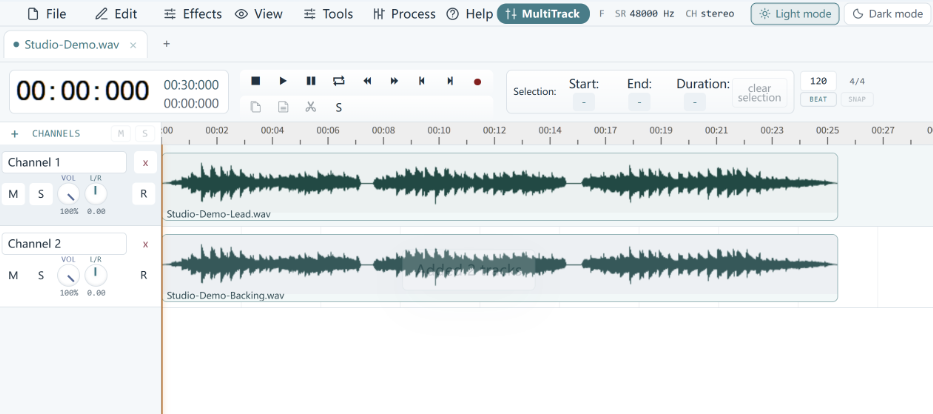
- Control acoustic environments and distance: Recording in soft-furnished spaces like closets and keeping the smartphone within six to twelve inches of the speaker maximizes vocal clarity and eliminates hollow room echo.
- Eliminate ambient interference and hardware friction: Turning off background fans, activating airplane mode, unblocking microphone grilles, and stabilizing the phone on a mount prevent static, hum, and handling noise.
- Leverage dual-device recording and free AI tools: Using a second smartphone as a hidden close-range boom mic—paired with free browser-based resynthesis tools like Adobe Podcast Enhance—delivers broadcast-grade audio without requiring expensive external hardware.
Across newsrooms and creator hubs in Lagos and Accra, smartphones have become the primary production studio for independent video journalists and digital educators. While mid-range camera sensors now shoot sharp 4K footage, raw built-in microphone audio remains the fastest way to lose an audience. Production guides from Popular Science and Mobile Podcasting confirm that creators can capture broadcast-grade sound without external hardware by applying six practical techniques across room treatment, microphone positioning, and free AI post-processing.
1. Record Inside Soft-Furnished Rooms or Closets
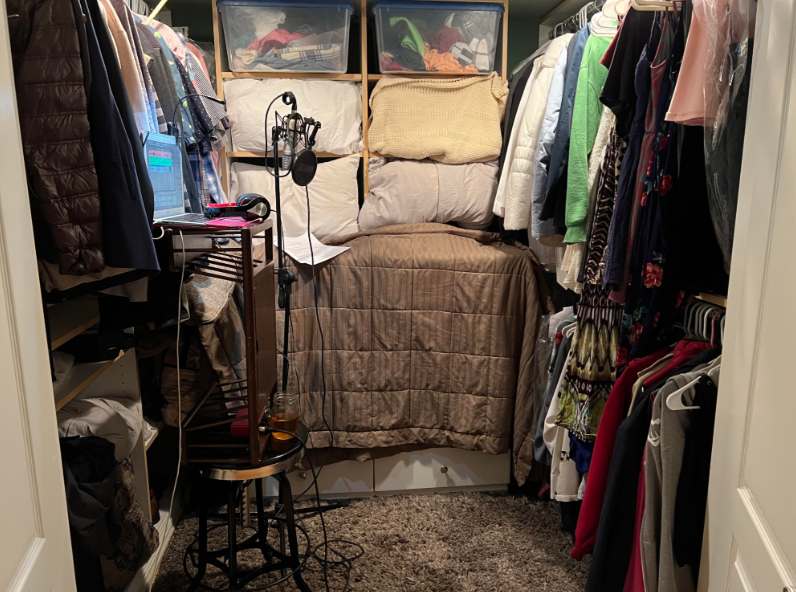
Sound engineers and production guides from Popular Science emphasize that hard surface reflections ruin smartphone recordings long before microphone hardware becomes a limitation. Tile floors, concrete walls, and bare offices bounce sound waves back into the phone's omnidirectional capsule, creating a hollow echo. Filming inside bedrooms with heavy curtains, mattresses, or clothes-filled closets absorbs stray acoustic reflections immediately.
In West African apartments and co-working spaces, buying an expensive condenser mic without treating the room often backfires. A sensitive external mic inside an untreated concrete room in Yaba or East Legon simply captures clearer audio of echoing walls. Mastering physical sound damping costs nothing and fixes the root acoustic problem that hardware upgrades only amplify.
2. Kill Ambient Hum and Switch on Airplane Mode
Technical checklists from Mobile Podcasting note that continuous low-frequency room noise and cellular interference ruin otherwise clean vocal takes. Turning off ceiling fans, air conditioners, and humming refrigerators before hitting record removes steady background drone. Switching the phone to Airplane Mode also blocks incoming call interruptions and eliminates cellular radio static from bleeding into the internal audio circuitry.
Creators in Lagos and Accra often overlook generator hum and cooling fans because the human brain tunes out steady background noise during a shoot. Smartphone microphones do not filter that drone out, forcing editors to waste hours salvaging damaged tracks. Taking thirty seconds to power down appliances and enable Airplane Mode saves more production time than any paid editing plugin.
3. Keep the Microphone Six to Twelve Inches Away
Audio engineering guides from Popular Science and Mobile Podcasting establish that distance dictates vocal clarity on built-in smartphone capsules. Positioning the phone within six to twelve inches of the speaker's mouth maximizes the direct-to-reverb ratio, while angling the device slightly off-axis prevents harsh plosive bursts on 'p' and 'b' consonants.
Most mobile creators ruin their audio by placing the camera across the room to capture a wide shot. Once a built-in phone mic sits four feet away, room echo overpowers the human voice. Framing tighter medium shots keeps the capsule in its optimal sweet spot without requiring a single cedi or naira in new gear.
4. Use a Second Smartphone as a Hidden Boom Mic
When wide camera framing requires placing the primary video phone several feet away, Mobile Podcasting recommends recording audio separately on a second smartphone. Tucked into a shirt pocket or placed just out of frame on a table, the secondary phone's voice memo app captures close-range speech. Clapping once on camera at the start of the take creates a sharp waveform spike for easy syncing during editing.
This two-phone workflow solves the classic dilemma facing solo video educators and street reporters across West Africa. Instead of buying wireless lavalier transmitters that suffer from battery failures or signal dropouts in crowded markets, creators can borrow a colleague's phone for two minutes and sync the tracks cleanly in CapCut or DaVinci Resolve.
5. Unblock the Grille and Stabilize the Chassis
Mobile production guides warn that thick protective cases and hand movement degrade built-in microphone performance. Removing bulky rubber cases clears debris and plastic obstructions from the bottom microphone pinhole, while resting the phone on a tabletop tripod eliminates low-frequency handling rumble.
Holding a bare phone during a ten-minute talking-head segment introduces constant finger friction and wrist vibrations into the audio track. Even a stack of textbooks on a desk outperforms handheld shooting, delivering consistent vocal gain and steady framing at zero cost.
Can free AI audio tools replace external microphones for creators?
Free AI audio tools like Adobe Podcast Enhance Speech can remove steady room echo and background hum, making smartphone recordings sound close to studio quality. However, these generative tools rebuild vocal frequencies and can distort voices if the original recording is too distant or drowned out by loud street traffic.
6. Clean Vocal Tracks With Free AI Resynthesis Tools
Browser-based AI cleanup tools have transformed post-production for resource-strapped reporters, led by Adobe Podcast Enhance Speech. Following its Enhance Speech v2 update, Adobe's free tier lets logged-in users process audio files up to 30 minutes long and 500 megabytes per upload, with a one-hour daily limit. Comparative testing published by Audo AI in November 2026 shows that Adobe's free browser filter strips reverb and background hiss effectively, though it restricts free users to audio-only uploads and locks processing at 100 percent strength.
For mobile journalists trained through networks like Mobile Journalism Africa or DW correspondents operating in Ghana, browser-based AI removes the need for expensive studio editing suites. Yet relying blindly on 100 percent generative resynthesis carries a real editorial trade-off. When fed noisy recordings from busy markets, AI models occasionally hallucinate syllables or clip consonants in West African accents. Adobe rolled out its Enhance Speech v2 architecture in November 2024, giving creators a powerful free safety net that works best when paired with disciplined close-mic recording habits.